Victor Richards not only gained 25,000 steps in one day during his work experience placement, but also gained comms skills and insights into the world of work at Imperial. Victor spent three days within ICT and Property Communications teams, focusing on photography. Hear from Victor in his own words:
About me
I’m currently a year 10 student studying for my GCSEs, and along with the mandatory Maths, English, etc. I also study separate sciences, Spanish, Drama, Film studies, and Fine Art. Out of school, some of my hobbies are playing basketball,
doing photography, and travelling to London whenever I can!
Working with the creative side of my hobbies, along with my love for London, Imperial has been the perfect place to carry out my work experience.
What did you get up to on work experience?
Over the course of 3 days, I was lucky enough to have a packed schedule catered specifically to my interest in photography.
Day 1 and 2
I was kindly shown round the stunning South Kensington campus, capturing many iconic spaces, buildings and landmarks. One that really stood out was the immensely impressive Queens Tower, which, after a very interesting chat with the staff, I discovered was recently refurbished and reopened, and is now standing there in all its beauty, on the Queen’s Lawn.
Staying on the theme of the Queen’s Lawn, especially in the sun, I found that it was the perfect place, not only to sit and get some work and photo editing done, but also just to relax and take in the lovely campus environment that Imperial creates.
The breathtaking location of the campus, within South Kensington, and all of its beautiful architecture, really make Imperial a wonderful place to be.
In the mornings of both the first and second days, I was initially greeted very warmly by the very kind and courteous staff, and then I was straight on to shoot a combination of the property, the security team, and even an amazing new returnable coffee cup system that is being trialled in a cafe in the Senior Common Room.
Along with the incredible opportunity to take photos, I was also very fortunate to be able to meet the official Imperial Photographer, Thomas Angus, a specialist in his field, to talk to me all about not only his specific style and approach to taking photos, but also about his journey to how he got to where he is now. Moving forward, with his advice, Imperial has provided me with a very interesting and useful insight into this professional world.
In addition to the photography side of the work experience, I was also given a tour around many of the buildings and lecture theatres, whilst accompanying the ICT AV team, which was equally very interesting, as I got to see how yet another role plays into this brilliant university.
Then, to finish up the first two days, I was invited to join the Property Division, where I was given a very insightful workshop on how to market and advertise all of the different food sites around campus. I was then given my own creative freedom to make up my own restaurant and make a poster of my own with the skills that I had been taught.
Day 3
Lastly, on my third and final day, I accompanied the ICT department to their Professional Services Hub out in White
City.
Out in white city, there was an absolutely stunning building, yet I found that it slightly lacked the same community feel that was clearly present within the South Kensington campus. However, seeing that a new campus is on its way to White City, I definitely see the potential in the area. All the staff here were yet again beyond friendly, which clearly made this community feel present again!
Day three mostly consisted of editing my photos, which was evident in my step count! From almost 25,000 on day 1, to very little this day, truly showed the concentration that I had!
I also very much enjoyed spending my afternoon writing this blog and finding out all about some other roles, which I discovered play a large part in this university.
and finally..
Overall, in just 3 short days. Imperial has managed to make me feel incredibly welcome, and I can really tell that Imperial values its sense of pride and community. Thanks to all of the staff involved, I have thoroughly enjoyed myself, and I have come away from this having learnt a lot more about how so many small parts and job roles contribute to the great institute that is Imperial!
I am also very grateful for the lovely merchandise that I was gifted upon leaving, really reinforcing this amazing community feel that Imperial gives off.
If I had the chance to come back, I would say yes in a heartbeat, just showing how worth it it is to do a work experience placement here!
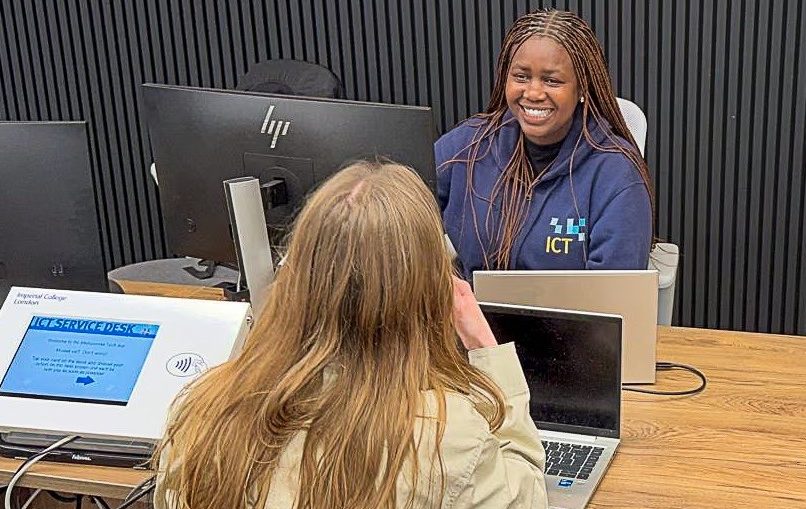
Amanda Ishagi, 1st Line Support Analyst, joined Imperial in September 2023 and stepped into an ICT Service Desk role with relatively little hands-on experience in the field of technical and customer support.
Hear Amanda’s journey from novice to expert in her own words:
At the time, I knew it would be a challenge, but also a great opportunity to learn something new and push myself out of my comfort zone. Looking back, the biggest thing I’ve gained is confidence.
In the beginning, even simple customer support tickets felt overwhelming. There was so much to learn, systems, processes, terminology, and how to troubleshoot effectively. But over time, with consistency and patience, things started to click. I learned that it’s okay not to have all the answers straight away. What matters is knowing how to approach a problem, where to look for solutions, and when to ask for help.
One of the biggest factors in my progress has been the support from colleagues, especially my Team Leads, who have always been very supportive in my development. Being part of a team where people are willing to share knowledge and guide you makes a huge difference. Whether it was shadowing others, asking questions, or just observing how experienced analysts handled issues, I picked up a lot just by being around the right people.
“Take notes, stay curious, and try to understand the why behind what you are doing, not just the steps. Over time, you will build both your knowledge and your confidence.”
Starting out, I was also the only woman in the team, which often surprised the customers I dealt with, but in a positive way. It was something that stood out to them and often made interactions more memorable and uplifting. It’s been a unique part of my journey and something I’ve taken pride in.
I also found that building relationships with team members within and outside the team is essential for this role, as it makes it easier to ask for help and lean on each other when needed. Through this, I have met some amazing people from all walks of life, which has been a real bonus.
Of course, it hasn’t all been easy. There have been challenging days, high workloads, difficult tickets, and moments where things didn’t go as planned. At times, it felt like there was too much to keep up with. But those moments were also where I learned the most. They taught me resilience, time management, and how to stay calm under pressure.
If I had to give advice to someone starting out now, I’d say do not be afraid to ask questions, and do not be too hard on yourself. Everyone starts somewhere. Take notes, stay curious, and try to understand the why behind what you are doing, not just the steps. Over time, you will build both your knowledge and your confidence.
This journey has been a stepping stone in my career, and I am proud of how far I have come since those early days. I am still learning every day, but that is what makes this role rewarding.
Amanda’s Line Manager, Jeff Wiltshire – First Line Support Lead,watched Amanda grow into her role and said:
Reading this really made me smile, as it perfectly captures Amanda’s journey…and I’ve had the privilege of watching it first-hand.
From day one, what stood out was Amanda’s attitude. She threw herself into everything with real determination and curiosity, and has absorbed knowledge like a sponge. It’s not just her technical skills and knowledge, it’s also how she approaches problems, how she communicates, and how she builds relationships with both colleagues and customers.
Her dedication hasn’t gone unnoticed either. There have been more than a few occasions where I’ve had to gently (and sometimes not so gently!) send her home because she was still working well past the end of the day, determined to get things sorted. That level of commitment says a lot!
What I’ve always appreciated is how comfortable Amanda is asking questions. She has never been afraid to say “I don’t know”, and that is exactly why she has progressed so quickly. That openness to learn has been a huge part of her growth.
And now, in a bit of a twist, she has become one of our “go-to” analysts, especially for some of our more enthusiastic customers. I’m not sure whether to apologise or congratulate her! 😉
It’s been genuinely great to see her confidence grow and her skills develop in such a short space of time. She should be really proud of what she has achieved so far.
Further information
If you would like to join ICT – check out our Jobs page.
Cascade Waddell, Product Operations Analyst at Imperial shares 10 Usability Heuristics developed by Jakob Nielsen and Rolf Molich:
As a Product Operations Analyst with a UX design background, I regularly assess digital products against usability standards. To guide this assessment I rely on the 10Usability Heuristicsto identify usability issues and opportunities for improvement of producst at Imperial. These 10 steps can also be used in all parts of the product lifecycle.
Here are the 10 Heuristics made simple:
1. Visibility of system status
The user should always be aware of their current position in the system. This could be a confirmation message with a tick after completing an application or an order. It could also be a progress bar at the top of the screen.
2. Recognition rather than recall
The system should help the user to recall previously entered or commonly selected information. For example, a form field that suggests recent entries, so the user doesn’t have to remember or retype data.
3. Help users recognise errors
Errors should use clear, plain language with instructions so that a user can understand it. For example: 404 · Page not found – Return to the homepage
4. Flexibility and efficiency of use
The system should adapt to the user’s preferences so that they don’t spend time recalibrating the system. For example: the system allows the user to hide widgets.
5. Aesthetic and minimalist design
Interfaces shouldn’t overwhelm the user with unnecessary information so that the user can focus on the primary task. For example: using a task centric layout.
6. Help and documentation
Help content should be easy for the user to access and should be written clearly. Ideally, it sits at the top of the screen or in a visible and predictable place.
7. User control and freedom
The user should be able to undo actions, navigate back, save progress, and resume tasks when needed. For example, there is a back button to go back and change previously entered information.
8. Error prevention
The system should prevent mistakes, such as blocking invalid inputs or give the user validation feedback. For example, showing an error if an email address is incorrectly entered.
9. Consistency and standards
Pages should look and behave consistently so the user doesn’t need to relearn the interface on every screen.
10. Match between the system and the real world
The system should use familiar language, icons, and concepts that reflect real-world experiences. For example, using a shopping basket icon to represent online orders helps users immediately understand what actions they have taken within the system. This alignment reduces confusion and makes the interface more intuitive.
In conclusion
Using this framework consistently has helped ground assessments in defined heuristics rather than gut instinct. If you’re looking for a strong starting point to evaluate an app or website, this framework is for you.
Comment down below if you’ve used this framework or any others to assess the usability of a website.
For Disability History Month in 2025, ICT’s Digital Accessibility Officer, Bouquette Kabatape joined forces with me (Katie Stripe, Senior Learning Designer) and industry expert Susi Miller to deliver a webinar on accessible learning content for the Imperial community.
Susi is an accomplished speaker and educator who specialises in e-Learning accessibility. Her award-winning company eLaHub offers training, auditing, and consultancy to help those delivering education improve their content and understand the impact of making learning content accessible and inclusive as standard. She mentions her awards to highlight that applying and receiving these awards is part of a business strategy to help mainstream and legitimise the work they do. I would like to see this kind of strategy adopted more to support and reward those working in education. Day-to-day teaching innovation can often get lost in such a large institution and we need to be intentional about finding and rewarding teaching excellence.
At the webinar, we were joined by over 50 colleagues and I hope that hearing Susi speak inspired the audience into thinking more broadly about accessibility and inclusion in education.
Persistent myths
In addressing persistent myths, this webinar raised some key barriers that can be faced by those promoting accessible education, e.g. making education accessible can somehow detract from the overall learning experience. Through practical examples and clear commentary, Susi showed the audience that this is fundamentally untrue. Clear, accessible, and inclusive content benefits everyone.
From my own perspective which forefronts inclusion (not accessibility) in education it was heartening to hear Susi push the idea that you can’t have one without the other. Use of language and appropriate imagery is as important to Susi’s definition of accessibility as meeting the technical elements is to my definition of inclusion. One beautiful example, which I had not considered, was changing the language of buttons from ‘click’ to ‘select’ to include users that do not use a mouse.
Accessibility and the law
The webinar also brought the legal requirements of accessibility to the forefront of the conversation. It was an important reminder that Imperial, as an educational institution not only has an ethical and moral obligation to provide accessible content, but a legal one. This was shared to help the audience understand that the legal implications’ core frameworks and guidance can help individuals and institutions improve the way they deliver content.
From my own research, I know that educators feel relatively comfortable with the legislation but less comfortable actually delivering content that meets the needs of all students. Susi shared a range of resources from the Custom CGPT alternative text assistant, which helps users add alternative text to complex diagrams, to the HMRC’s Virtual Empathy Hub which shows how people with different accessibility needs can be affected by poor content and how that content can be improved.
Personae
Both Susi and I use personae in our work, and the Imperial Inclusive Personae is a resource available for the whole Imperial community to develop. These characters are particularly useful for exploring the impact of different elements of accessibility and inclusion on the student body and a way of controlling the visual elements of diversity in our delivery which, as Susi describes is extremely important for inclusive, accessible educational content.
Susi ended her session by linking accessibility to our Imperial Values in a way that resonated with me and I hope with others.
Final reflections
Accessibility is providing an excellent learning experience that shows respect for learners. This can be achieved through collaboration with people internal and external to the institution and innovating in the way we deliver education, but most importantly having the personal integrity to understand that this work can be challenging and that it is ok to ask for help.
Perhaps the most inspiring and influential quote from Susi’s session was that we should strive for progress, not perfection. Mistakes will be made, but that is how we learn and develop, and as a community of educators we can share that burden, collaborate, innovate, and create content that is inclusive of and designed for all our students.
While approaches can be different, we all have the same ultimate goal, which is to make excellent education for all students.
by Cascade Waddell, Product Operations Analyst, ICT
Usability testing is the process of testing your product with customers to uncover key insights into user goals, behaviours, and pain points, offering a deeper understanding of how real users interact with your product.
It’s important for product teams to test their products qualitatively and quantitatively to see how a user interacts with a product, so you make product decisions based on facts rather than feelings.
The benefits of usability testing:
Helps product teams understand real user needs and pain points, leading to solutions that truly meet their needs.
It allows you to identify and resolve issues early, ensuring a smoother and more intuitive experience for users.
Provides actionable insights and data to guide design and development choices.
Encourages iterative development, keeping your product aligned with evolving user needs.
Offers concrete findings to support discussions and secure buy-in from stakeholders.
How to design a usability test
Step 1 – Creating the test
Define the test goal and ensure it aligns with your product, company, and organisation goals. Choose a prototype or existing website to test. Prepare a test script you can use to ensure you have a structure with around 4 tasks.
Step 2 – Recruit your participants
Find 5-8 participants you want to test with. Offering a reward such as gift vouchers can incentivise people to participate in the test. Start recruiting early and expect some cancellations. Build a pool of users you can rely on.
Step 3 – Plan sessions
Plan for a 60-minute session overall. A good format to follow is:
10-minute introduction
40 minutes of tasks for participants to complete
10-minute summary and feedback session.
It’s important to keep an eye on the time to ensure there is sufficient time to summarise at the end.
Step 4 – Conduct the test
Before you start, ask for the test to be recorded. Explain the purpose of the test, encouraging thinking aloud. Guide the participants through the tasks and observe. Feel free to ask follow-up questions where necessary, but active listening is the most important skill you need to demonstrate during the test. Ask them how the test went after you’ve finished to improve for next time.
Step 5 – Analyse the data
Use an AI tool to analyse the transcript of the test looking for said pain points, mental models, positives, and negatives. Create a report with the key findings to be used to inform product leaders. This data will ultimately be used to inform the product roadmap.
Conclusion
Usability testing is a vital step in creating products that truly meet user needs. By following these steps ensures that you are creating products based on evidence rather than on gut feel.
by Cascade Waddell, Product Operations Analyst, ICT
Too often, product and product operations teams feel pressure to deliver quickly, only to realise later that their solutions do not truly address the real needs of those they serve.
That is why dedicating time to understanding the problem and conducting thorough discovery of what users need from a product is so important.
Why discovery matters
Product operations carrying out discovery on their product teams ensures we build solutions based on what those people need, not just what we assume. Effective discovery should answer:
What is the real problem?
How does it connect an organisation’s goals?
Who feels the pain the most?
Which solutions fit best within our constraints?
How can success be measured?
By answering these questions, product operations colleagues can validate ideas early, reduce wasted effort, and focus on work that creates measurable impact.
What drives successful discovery?
Through my experience working with product teams at Imperial, I have learnt what makes discovery truly effective.
Define your goals
Start by clarifying the goal of your discovery work and ensuring it aligns with broader company objectives. For example, when creating the ICT Guide, a central resource for department and product information, we set clear goals to meet customer needs and justify our approach to senior stakeholders, all backed by discovery insights.
Use mixed research methods
Combine different research methods to ensure robust, well-rounded insights. For the ICT Guide, we used customer interviews, surveys, and usability tests. This mix provided quantitative and qualitative data, informing our strategy and helping us design better solutions. We have also applied this approach to our roadmap planning, using customer feedback to shape templates for initiatives and epics.
Pilot before scaling
Test proposed solutions with a small group before rolling them out widely. Piloting saves time and resources, allowing you to learn what works and what doesn’t. For example, we piloted our Now, Next, Later roadmaps and a feature ideas portal to select product lines. Through their frequent feedback that elements of the process were unclear and often led to incomplete or inconsistent inputs, we created contextual guidance to the form fields to improve the quality of user submissions.
Share insights visibly
Make discovery insights visible to build alignment and trust. When presenting solutions, we always referenced research sessions and highlighted common themes. This transparency helped shift our approach to be more product-led rather than stakeholder-led, introducing best practices such as hypothesis testing and defining success metrics.
Measure outcomes, not just delivery
Success is not just about delivering a solution; it’s about the impact it creates. As our Product Operations team has grown, we are exploring new ways to measure outcomes, both qualitatively and quantitatively, and sharing success stories as we become more product-led.
Reflections
Making time for discovery in product operations is essential. When we take the time to deeply understand the challenges our teams face, we move beyond gut instinct and instead rely on evidence to guide our decisions. This not only leads to better outcomes, but also strengthens collaboration, promotes transparency and builds trust. Overall, it ensures we’re solving problems that truly meet our users’ needs.
ICT Service Desk 1st Line Support Leads, Jeff Wiltshire and Paul Burkett, are not just the friendly voice at the end of the phone when you have an IT issue. They are leading the way in customer support and are always looking to make your experience better with efficiency savings and innovative solutions.
At a recent show and tell session to ICT colleagues, Paul and Jeff demonstrated a great solution for not only saving our staff time, but improving response rates and service satisfaction for staff and students using Audio Visual (AV) equipment in lecture theatres and campus computers.
Jeff said, “Our goals were to free up our analysts’ time, improve the overall efficiency of the Service Desk and staff satisfaction, and to ensure that campus computer rooms and lecture theatres were consistently ready for use”.
A cluster of activity
Part of an analyst’s role is to check the status of student (cluster) machines on campus and ensure the AV systems are always operational in lecture theatres.
The challenge with this work is that it can be very time-consuming, using an inefficient process of manually checking the current platform on a daily basis for issues with cluster computers and then logging hundreds of identified faults in our ticketing system.
For the AV checks, our analysts had to manually review a daily checks Excel file and create tickets for the 120+ rooms each day.
Jeff explained, “This manual element of the process significantly impacted productivity, requiring one analyst to dedicate half a day just for checking and logging faults! The process also made accurate reporting difficult and delayed issue resolution, as many problems could not be fixed remotely.”
From tedious tasks to seamless solutions
To address the issue, Paul and Jeff spoke with stakeholders to understand the specific challenges and requirements. The team physically checked all cluster rooms to ensure that the information in the current system matched what was found in the rooms.
They then went on to develop an internal application called the ‘Campus cluster checks analyser’, using Microsoft’s Visual Studio (VB.NET) and WMI queries to automate the remote checking of cluster computer machines and a questionnaire for the AV rooms. This tool was designed to verify the availability and functionality of computers without manual intervention.
Additionally, Jeff implemented a feature that automatically logs tickets in ASK for any identified issues, eliminating the need for analysts to manually create them.
The tool was tested successfully in the development environments of the room and timetabling system, CELCAT, before preparing it for live deployment.
To fully optimise the process, the team requested read-only API access to CELCAT’s live Production environment (PROD). This enabled Jeff real-time retrieval of room availability data, ensuring minimal impact on the live timetabling system.
Our objective is to access CELCAT to obtain the latest exam schedule and publish it in Power BI. Currently, the Examination Timetabling Team manually downloads and shares the exam schedule with us, and any changes are not automatically flagged. This requires us to manually compare the old and new Excel files to identify changes. Additionally, we spend a considerable amount of time checking CELCAT for room availability before conducting visits. Having this data in Power BI would allow us to generate reports that provide the necessary information, making the process of preparing cluster rooms for exams quicker and easier in future.
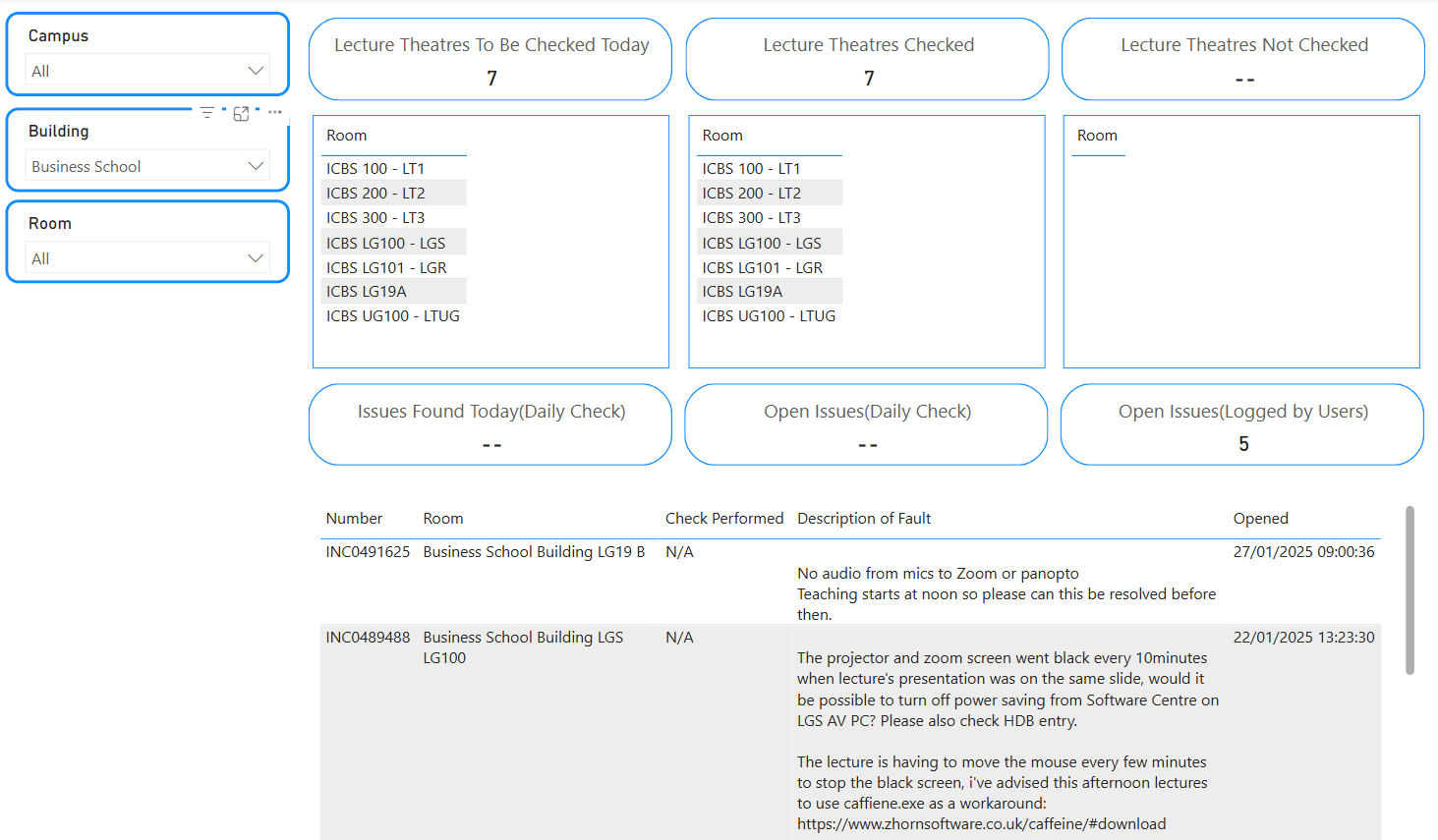
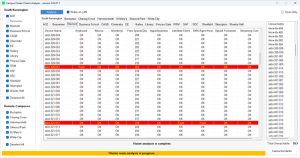
The new Daily AV Checks Status Dashboard
A sense of achievement
Jeff said, “The best part of working on this solution was seeing the immediate impact of automation on analyst productivity and service efficiency. By eliminating repetitive administrative tasks, analysts could focus on resolving issues rather than logging them, improving overall service quality.
“I enjoyed the collaboration with stakeholders, and the opportunity to develop a custom tool tailored to the Service Desk’s needs was highly rewarding. Successfully testing the tool in the Celcat DEV environment and preparing it for live deployment provided a sense of achievement, knowing it would directly improve staff satisfaction and user experience.” Jeff Wiltshire
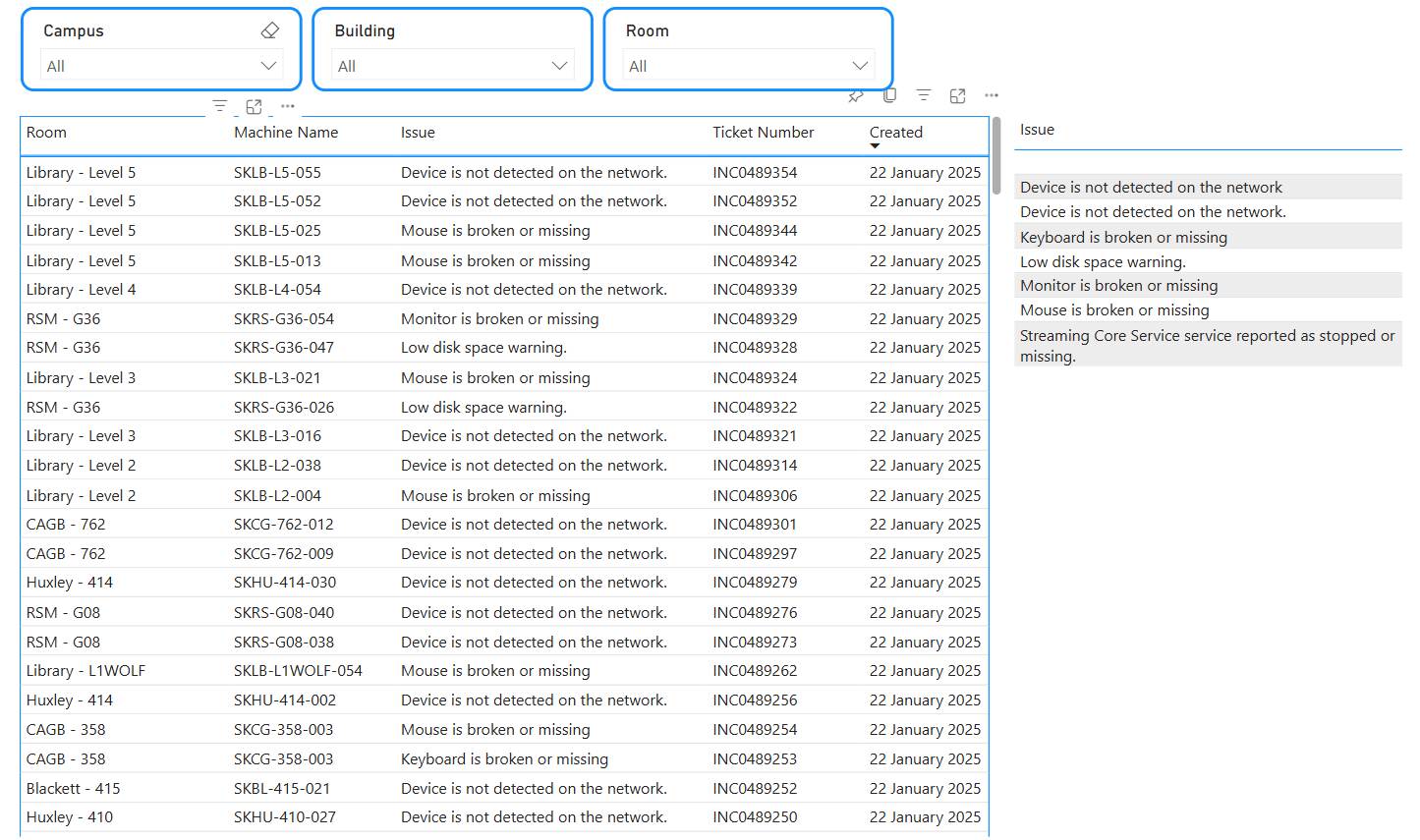
Cluster Room Open Issues Dashboard
Up to the challenge
One of the biggest challenges the team faced was the amount of time required to manually check the current system and log tickets, which initially made it difficult to allocate time for developing the automation tool.
Ensuring that the tool could accurately detect issues remotely and log tickets correctly in ASK required extensive testing and debugging.
Another challenge was obtaining API access to the CELCAT production environment, as this required co-ordination with external teams, compliance with data access policies, and ensuring the integration had minimal impact on the production environment.
Campus cluster checks analyser app
Zeroing in on success
Jeff and Paul are proud of impact they have had and the overall outcome has been a significant reduction in manual workload for their analysts, improving efficiency and response times.
Jeff suggests they have realised their goals as the automation tool now:
saves analysts half a day checking and logging tickets.
automatically logs issues in ASK, reducing ticket creation time to zero.
improves reporting accuracy, as faults are logged consistently without human error.
frees up analysts’ time to focus on higher-value tasks, rather than repetitive administrative work.
enhances service efficiency and user experience by ensuring AV rooms and cluster machines are ready for use.
Ongoing improvements
The Service Desk team will continue to innovate and work with other members of ICT, like the Tooling Team, to create solutions to further optimise the booking process for exam room cluster checks. This will ensure faster response times, more accurate bookings, and an overall more efficient Service Desk!
“I am incredibly proud of our team for balancing the demands of our daily operations while driving meaningful improvements for our customers. Their dedication to automating our mundane processes not only improves our customer service but also creates space for more engaging and impactful work. I cannot commend them enough for their commitment, innovation, and teamwork, which make a real difference!” Okan Kibaroglu, Director of Customer Success
Zack Khalifah, 1st Line Support Lead – ICT Service Desk, was tired of their team’s huge staff rota spreadsheet which was taking him and his colleagues 10 hours a week to update! Find out how Zack and his teammates used simple AI, automation tools and innovative ideas to solve their manual input nightmares!
Taking on the challenge
To ensure our ICT Service Desk Analysts availability was accurately reflected each day our team managed a huge Excel rota that we had to manually import into a Microsoft Bookings system. This manual process was necessary so that any free timeslots could be utilised to call back users or for going out into the ‘field’ to do support jobs.
However, since Microsoft Bookings does not provide a built-in option to import schedules from Excel, the process was highly time-consuming, taking approximately 10 hours per week! This ‘old way’ could not go on! My first challenge was to streamline the rota imports, so I developed a Python (programming language) application that automated the process by extracting the rota from Excel and importing it into Microsoft Bookings via Graph Application Programming Interface (API).
What once required hours of manual effort can now be completed in just a few clicks.!
The second challenge was enabling our university community to schedule their own appointments with our analysts while ensuring bookings were properly tracked in our ticketing system. I couldn’t simply share the booking page with users, as their appointments made through Bookings didn’t update their ASK (ServiceNow) tickets. Additionally, I needed a way to ensure that users received the appropriate type of appointment, either a callback or a field support booking, before scheduling the session with an Analyst. Since ASK and Microsoft Bookings are separate systems, I had to find a way to synchronise bookings with ASK to maintain accurate ticket statuses.
Self-taught solutions
I initially discussed the idea with Mylene Cannon, 1st Line Support Manager, suggesting that we could automate the process of updating ASK tickets whenever a customer made a booking using Power Automate.
To develop the solution, I relied heavily on ChatGPT and YouTube tutorials, which were invaluable resources in learning how to implement both Python and Power Automate effectively. My background in Computer Science from university also helped, as even though I hadn’t done much programming since then, I was able to pick things up quickly.
One of the things that works so well at the Service Desk is that Mylene encourages us to explore and implement solutions when we identify ways to improve workflows.
I taught myself Python and Power Automate, and during this time I received great support from the other 1st Line Support Leads; Jeff Wiltshire, Lloyd Pettifer,, and Paul Burkett, who helped by picking up any extra tasks that I wasn’t able to focus on during this time.
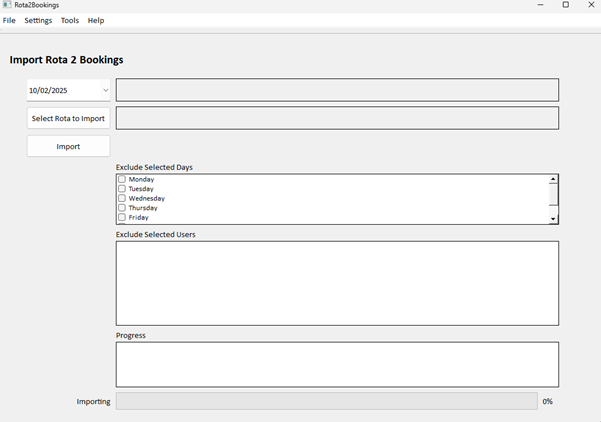
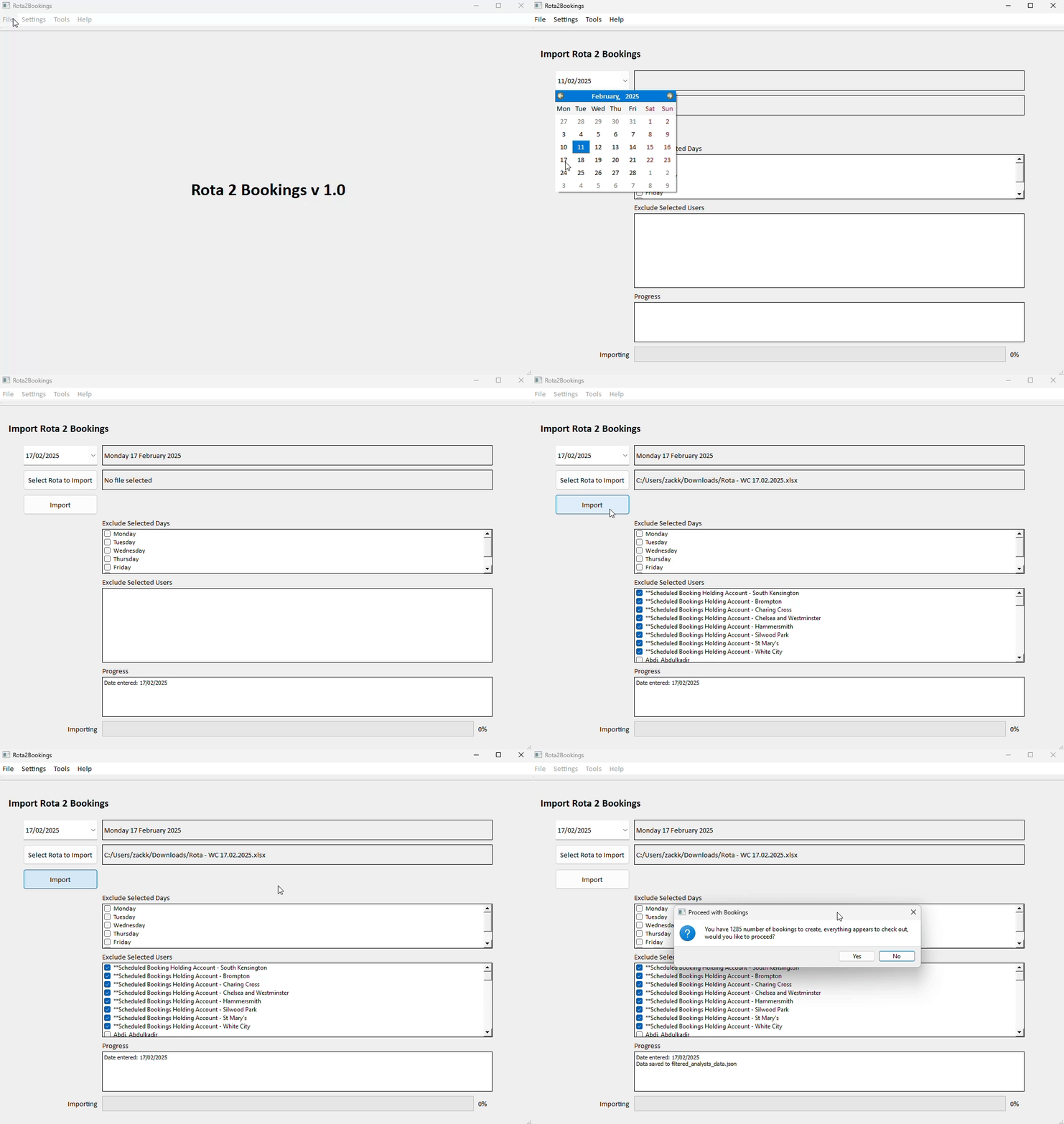
The new ICT Service Desk rota import screen developed by Zack KhalifahThe new Rota import app in action
I really enjoyed learning both Power Automate and Python, as it allowed me to develop new skills while solving a real-world problem. I found the challenge of troubleshooting particularly rewarding, whenever I got stuck on a formula or script, I’d spend hours experimenting, researching, and problem-solving until I found a solution.
Some of the best moments came when a solution finally clicked, often outside of work hours. There were times when an idea would suddenly come to me in the evening, and I’d jump back on my desk to test it out — only to see it work perfectly! That sense of problem-solving, continuous learning, and seeing my efforts lead to a tangible, time-saving solution made the whole experience incredibly fulfilling.
There were some challenges along the journey, with the biggest being access restrictions and ensuring I had the correct permissions to work with the required systems. Since I was integrating multiple platforms, I needed specific access to ServiceNow, Microsoft Bookings, and Azure. I didn’t initially have the right permissions, but some of these were easier to get access to than others. Other than this there were a few quirks in the way things work, for example, the bookings link to reschedule appointments required some innovative thinking to access in Power Automate because it’s not directly accessible.
There were times when an idea would suddenly come to me in the evening, and I’d jump back on my desk to test it out—only to see it work perfectly!
Everyone’s a winner
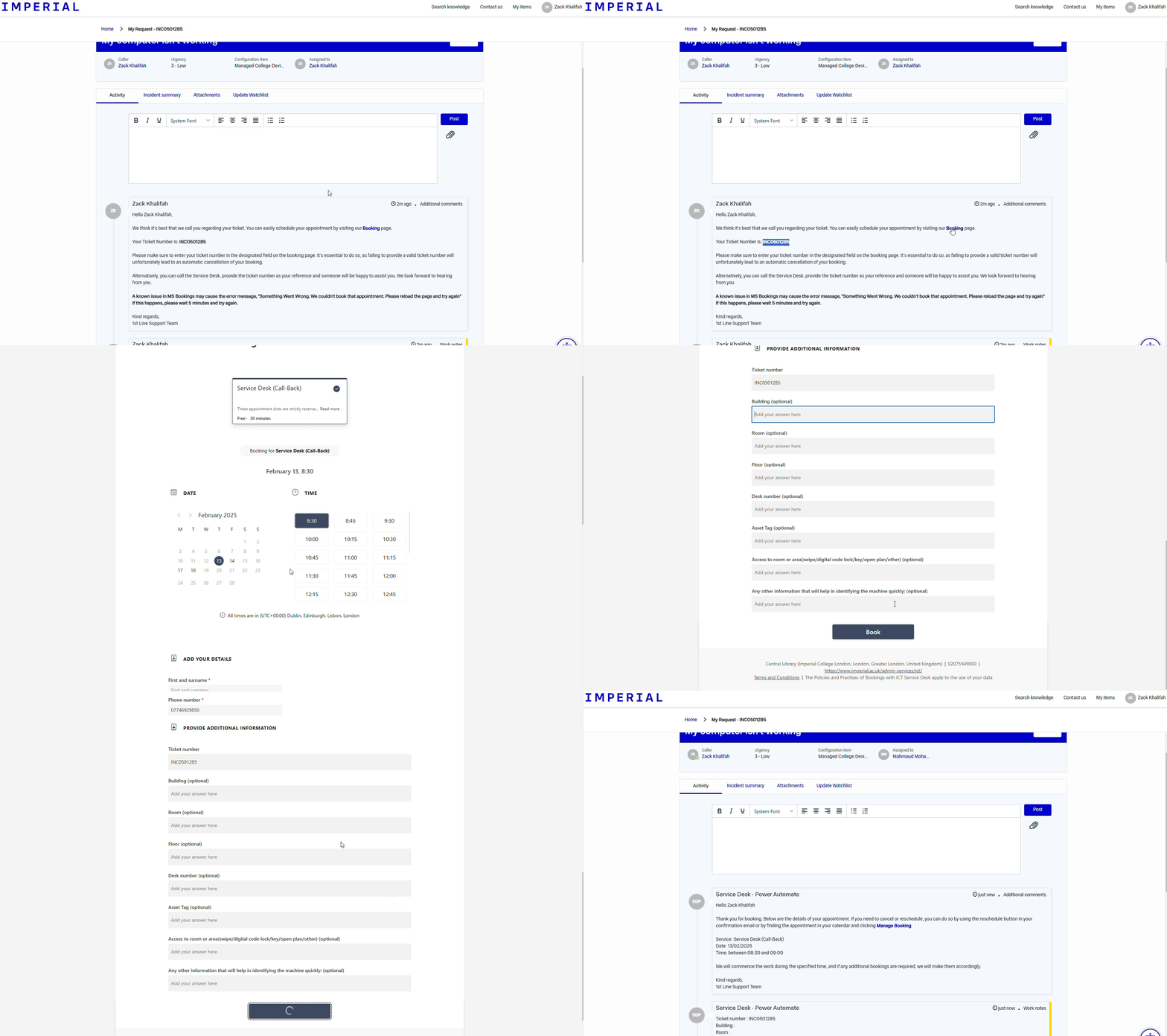
You can now schedule and self-serve your appointments with the ICT Service Desk. This is great for us because it frees up our analysts’ time to work on your issues rather than doing admin. The below video shows you how to use the new form to book a callback with an Analyst.
How to use the new form book a call with an analyst
I am very proud that my new system has been adopted, so if you are currently requesting support from the Service Desk team and you require a callback or field support you are already benefitting from the new system.
At Imperial, inclusivity does not stop at physical infrastructure — it extends to the digital world too. In a recent conversation with Bouquette Kabatepe, Digital Accessibility Officer, we dive into the importance of creating an accessible digital environment and the ongoing efforts to ensure no one is excluded from online content.
Why Digital Accessibility matters
Bouquette likens digital accessibility to building ramps in physical spaces for those with disabilities. She stresses that universities’ online platforms must provide equal access to everyone, especially those with additional needs. The need stems from legal requirements such as the Public Sector Bodies Accessibility Regulations (PSBAR) and the Web Content Accessibility Guidelines (WCAG). Beyond the law, Imperial holds the status of an ‘inclusive leader,’ meaning we aim to go above and beyond our legal obligations.
“Digital inclusion is like building ramps in digital spaces. In physical places, we build ramps for wheelchair users; we build the equivalent on digital platforms to make sure everyone with additional needs has the same experience as those who don’t.”
Bouquette’s role really matters! Her day-to-day activities providing accessibility guidance and training raise awareness to the wider community of how to meet compliance. More importantly, her collaboration with procurement teams, testing teams and in-house developers means we buy and create accessible platforms and services, ensuring compliance with legislation and regulations from the outset. Bouquette also works closely with the Central Communications’ Digital team to implement accessible websites and apps, as well as writing specific guidance for Imperial.
The previous standards were WCAG 2.1 AA. This is the minimum requirement for the legislation.
With the new WCAG 2.2, there is new guidance with nine new success criteria. Six of these are A and AA levels, which is the minimum requirement for us:
Consistent help (Level A) – an accessibility statement within one click from all web pages, so contact details, including email addresses are reachable.
Redundant entry (Level A) – pre- populated fields, therefore we are not asking users to enter the same information repeatedly.
Focus not obscured (Level AA) – making sure when an item gets keyboard focus it is at least partially visible and you can click back onto it.
Dragging movements (level AA) – For any action that involves dragging, provide a simple pointer alternative.
Minimum target size (Level AA) – Ensuring targets (clickable elements/areas) meet a minimum size, or have sufficient spacing around them, especially for mobile use.
Accessible authentication (level AA) – Do not make people solve a puzzle, recall something, or transcribe something to log in. Examples include clicking parts of lorries on a picture or typing obscured letters in.
The new success criteria extend the requirements for users with low vision, cognitive impairments, and limited fine motor skills. The newly added requirements also address the aging population’s needs. Bouquette points out that the updated changes should not be too difficult for Imperial to achieve.
One of the updates ‘consistent help’ requires that accessibility statements be placed in more prominent locations. Another criterion involves offering alternatives for drag-and-drop actions, as not everyone can use a mouse. So, if you are featuring something with drag and drop, you should also offer alternative methods for this action, ensuring that those who cannot use a mouse are not excluded.
“If an organisation is compliant with WCAG 2.1 AA, they’re really not far from WCAG 2.2 AA. The new criteria aren’t difficult to achieve but are designed to make the web experience better for everyone.”
Navigating complex audits
One of the most significant challenges Bouquette and Imperial faced recently was the Cabinet Office’s recent unannounced accessibility audit on our public-facing website.
This process, designed to test how well public bodies comply with PSBAR, highlighted several issues with Imperial’s website. The issues raised included problems with our website’s navigation, AKA the ‘Mega Menu,’ especially when using a high zoom level and the inaccessibility of our vacancies’ job descriptions in PDF format when using screen readers.
Despite Bouquette letting the auditors know we were launching our new updated website, which would fix these issues, Imperial were told to resolve these issues within 12 weeks of the audit. Since then the issues have been fixed, including the mega menu, on our new site which launched on 17 September 2024.
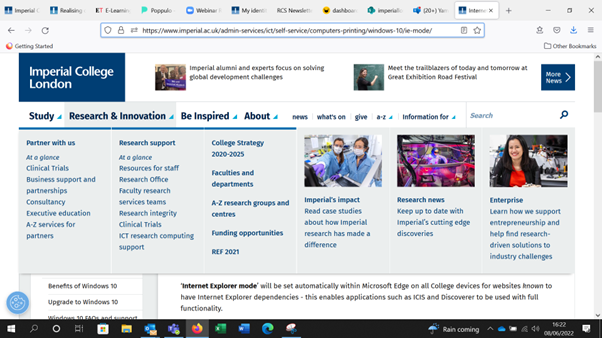
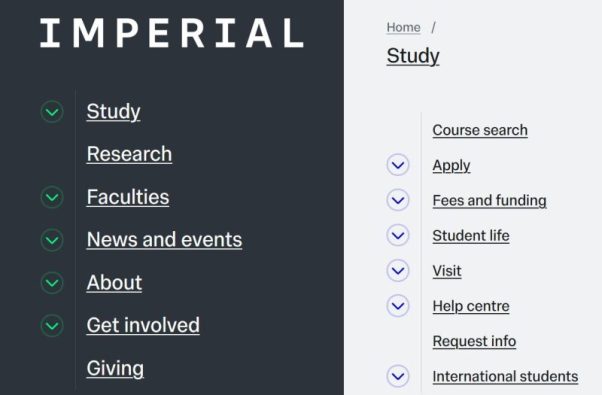
The old website mega menu was not accessibleNew website navigation
Bouquette stayed connected with the Cabinet Office throughout the 12-week improvement work schedule to ensure they were aware of the development challenges, to check compliance and to show that we genuinely cared about the changes.
Bouquette suggested that ‘in certain cases, institutions can just take the easy route of claiming a ‘disproportionate burden’ – meaning that to fix an issue would significantly impact on cost or resources – but for large institutions like Imperial, it would require detailed financial justification.’
However, Bouquette agreed with the government that even if a new website is in the works, accessibility cannot wait: “If someone with additional needs wants to apply for a job that day, they need access now.”
With this in mind, Bouquette collaborated with ICT’s Cross Functional squad and the Digital team, including Lea Yurkovetskaya, Senior Digital Designer and Fenton Chambers, Senior Digital Product Manager, to re-prioritise work and tirelessly update and fix the issues on the website; we are continuously improving access.
From PDFs to procurement: Continuous effort
Solving the audit issues was challenging, but it also led to broader improvements. The new website is easier to navigate, and the HR team has redesigned the job description templates to ensure they met accessibility, as well as our new branding guidelines.
This work is a reminder that improving accessibility often fixes other problems and makes things better for everyone.
The new website redesign work involved accessibility integrated from the design phase. Continuous testing with external agencies ensured compliance. But Imperial’s approach to accessibility goes beyond just fixing the website. Imperial has introduced accessibility guidelines for content creators, like how to make accessible videos, and procurement processes ensure that any external services meet compliance standards.
“Accessibility isn’t a box to be ticked. It is a continuous effort. What we have in place needs to be tested, retested, and updated every year because content changes and standards evolve.”
Cultural change and the path forward
Bouquette is happy to report that the Cabinet Office closed our case with no further action required, which is important because they will report everything to the Equality and Human Rights Commission (EHRC).
Bouquette suggests that ‘this result, in terms of accessibility compliance, is particularly good and prestigious.
To keep up this ‘prestigious state,’ the biggest hurdles are cultural. Bouquette emphasises that digital accessibility is about a fundamental change in how people approach websites and content creation. Bouquette calls for stronger policies from the top, more resources, and ongoing training to embed accessibility into everyday practices across the university.
With continued effort and collaboration, Imperial aims to lead by example, creating a digital environment as inclusive as the physical one.
Imperial’s journey toward digital inclusivity is a work in progress, but with dedicated individuals like Bouquette, it is clear that we are committed to ensuring no one is left behind.
Further support
You can contact Bouquette to discuss digital accessibility or find out what support is available at Imperial:
I am committed to nurturing the next generation of female leaders in technology and facilitating pathways for their success.
As a Digital Education Support Analyst, I provide assistance and guidance to individuals using digital educational tools and platforms. This includes troubleshooting technical issues, offering training sessions, and developing resources to enhance the digital learning experience.
What do I love about my role?
The opportunity to empower others in their educational journey through the effective use of technology.
How did I get here?
My fascination with education technology began during my time at Carnegie Mellon University in Qatar, where I pursued a Bachelor’s degree in Information Systems with a minor in Business Administration, and a concentration in UI/UX design. Following my passion, I crossed continents and found myself at The Harvard Graduate School of Education, where I pursued a Master’s degree in Technology, Innovation & Education.
Over the course of my academic journey, I’ve been exposed to cutting-edge educational technologies and pedagogical approaches, broadening my perspectives on education and its intersection with technology. Alongside my educational endeavours, I gained experience in student services and worked as an Applications Analyst at Qatar Foundation. More recently, I was entrusted with establishing an ICT department for an upcoming school and university.
My future aspirations
I am driven to expand my role in mentoring and empowering young women within the tech industry. My experience as an alumni interviewer for Harvard has granted me a unique perspective, now finding myself on the opposite side of the table where I once sat. Moreover, being nominated for the ‘Everywoman’ awards in the Digital Star category has intensified my dedication to supporting and championing women in digital fields.
I am determined to advance my expertise in educational technology and pursue leadership roles in this domain. I am enthusiastic about exploring opportunities for advanced training and certifications, which will deepen my understanding and enable me to make a more significant impact in the realm of digital education.
I would also love to be involved in the creation of internship programs tailored specifically for young women. These initiatives aim to provide them with invaluable opportunities for learning and growth in a supportive environment. Such programs not only offer practical skills and experience, but also foster a collaborative community where both mentors and interns can learn from each other. I am committed to nurturing the next generation of female leaders in technology and facilitating pathways for their success.
My influences
My parents have been the most influential and inspiring figures in both my career and personal life. They have always been my pillars of support, giving me the wings to fly and encouraging me to dream big. From a young age, they instilled in me the belief that nothing academically was ever off-limits, regardless of my gender. Their unwavering support and encouragement propelled me to pursue my passions and strive for excellence in all endeavors.
One of the most valuable lessons they imparted to me was the importance of continuous learning and self improvement. They always encouraged me to up skill myself and pursue further education, knowing that knowledge is the key to unlocking new opportunities and achieving success. Their belief in my potential and their dedication to my personal and professional growth have been instrumental in shaping the person I am today.
Maintaining a work-life balance
Creating a work-life balance is crucial for my well-being, and I prioritise it by taking life outside work as seriously as in work. I plan my week and weekends in advance, ensuring I have events and activities to look forward to. One activity that fulfills and energises me is networking. Being new to London, I thoroughly enjoy meeting new people and exploring the vibrant restaurant scene in the city.
Whether it’s attending Harvard alumni socials or participating in Ramadan meetups, London offers a plethora of opportunities for social engagement. These networking events not only allow me to expand my professional circle but also enable me to immerse myself in the rich cultural diversity of the city. By engaging in activities that bring me joy and fulfillment, I find that I can recharge and maintain a healthy work-life balance.
My advice
One invaluable piece of advice for women entering the tech industry is to prioritise education, recognising that knowledge is a powerful asset that can’t be taken away. Give yourself due credit for your work, and don’t shy away from occupying the space you deserve in any room. Embrace the confidence to contribute your ideas and skills and when you do so, don’t forget to portray kindness and empathy to other women who were once in your shoes.
 Victor Richards not only gained 25,000 steps in one day during his work experience placement, but also gained comms skills and insights into the world of work at Imperial. Victor spent three days within ICT and Property Communications teams, focusing on photography. Hear from Victor in his own words:












 Cascade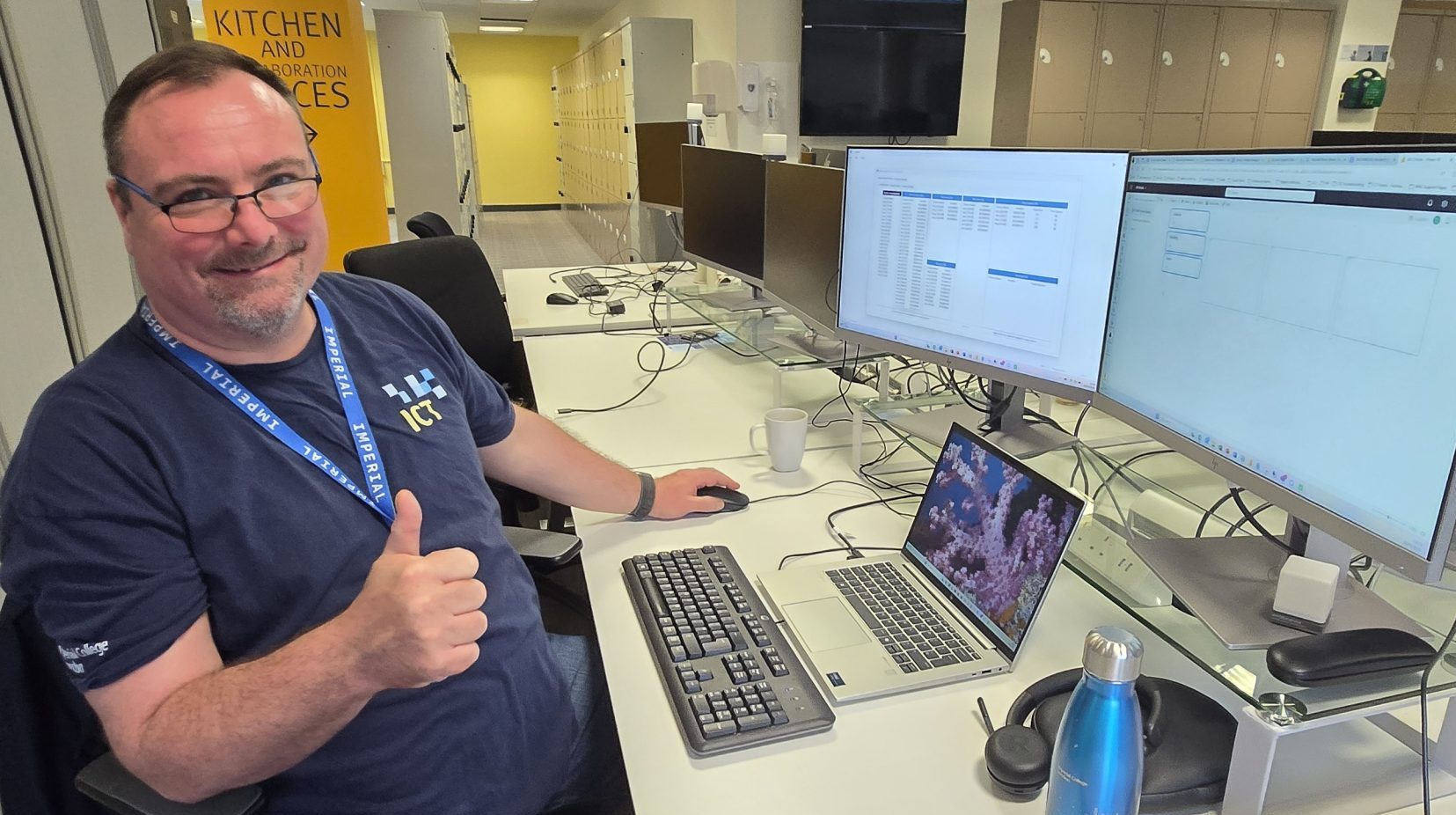


 I am driven to expand my role in mentoring and empowering young women within the tech industry. My experience as an alumni interviewer for Harvard has granted me a unique perspective, now finding myself on the opposite side of the table where I once sat. Moreover, being
  Creating a work-life balance is crucial for my well-being, and I prioritise it by taking life outside work as seriously as in work. I plan my week and weekends in advance, ensuring I have events and activities to look forward to. One activity that fulfills and energises me is networking. Being new to London, I thoroughly enjoy meeting new people and exploring the vibrant restaurant scene in the city.